Contents
The print-on-demand market is increasingly competitive, and beautiful designs alone are no longer enough to differentiate yourself. Today’s buyers tend to seek personalized products, from t-shirts, mugs, and canvas prints to decorative items that can be customized with names, images, or messages. This is why personalized products are always popular, especially for occasions like birthdays, weddings, Christmas, or other special events.
To meet this trend, Amazon Custom allows sellers to create personalized listings directly on Amazon. Customers can customize products directly on the shopping page before ordering, making the ordering process more convenient without needing to communicate via messages or other channels.
So what is Amazon Custom, how does it work, and why is it a worthwhile option for POD sellers? Let’s find out in the article below.
Key Takeaways
- Amazon Custom helps sellers offer personalized products directly on Amazon, from adding names and images to logos and many other options.
- With Amazon Custom, customers can customize products directly before ordering, providing a more convenient and intuitive shopping experience.
- The program is a suitable option for POD sellers who want to expand their personalized product catalog while still selling on the Amazon platform.
- To use Amazon Custom, sellers need an Amazon Seller Professional account and must register for the program.
- This article will help you understand how Amazon Custom works, its outstanding features, and how to get started if you want to sell personalized products on Amazon.
What is Amazon Custom?
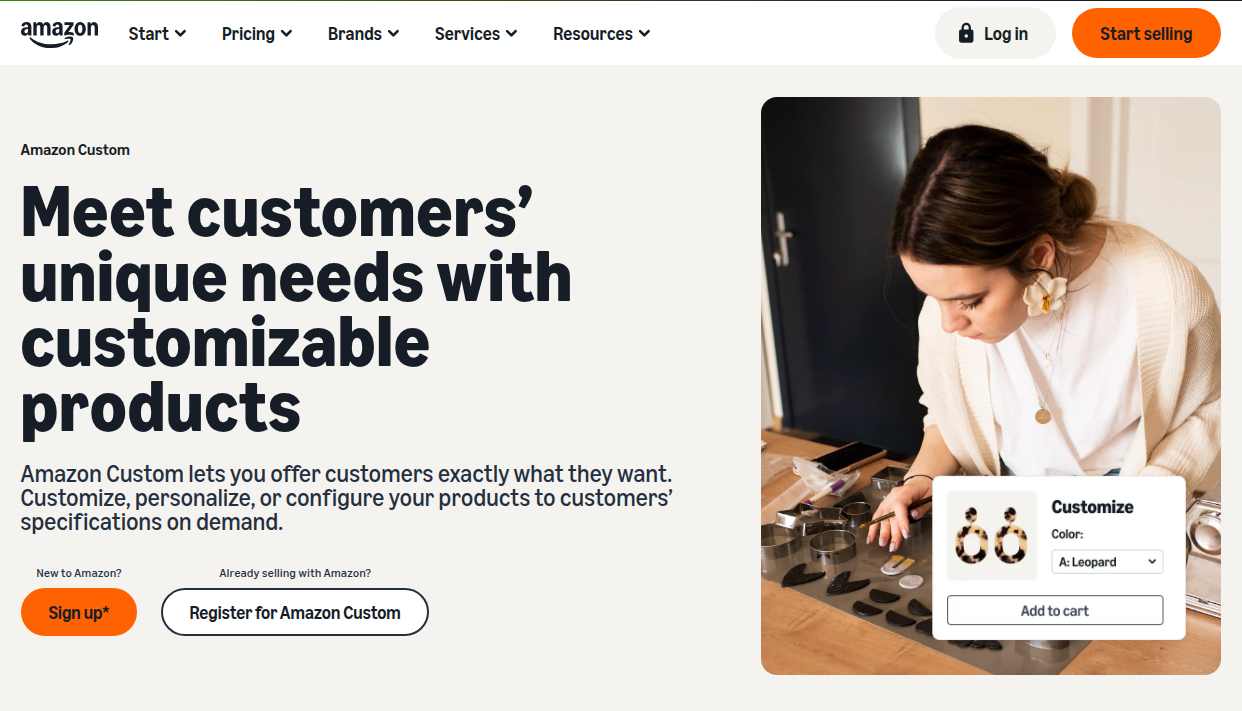
Amazon Custom is an Amazon program that allows sellers to sell customizable products directly on the Amazon platform. Through this program, sellers can create listings that support personalization features, allowing customers to customize products before completing their order.
Depending on the product type, customers can add names, text, images, or logos, and customize options such as color, size, or style directly on the product details page. All personalized information will be sent to the seller after the order is confirmed to proceed with production.
To meet diverse customization needs, Amazon Custom offers three main options:
- Personalize: Allows customers to add names, text, images, or logos to the product.
- Configure: Allows customers to select product attributes such as color, size, material, or style.
- Assemble: Allows customers to combine multiple components or accessories to create a complete product according to their needs.
Thanks to the integration of customization tools directly on Amazon, Amazon Custom makes the process of ordering personalized products simpler and more seamless for both customers and sellers.
How does Amazon Custom work?
Amazon Custom is designed to simplify the process of selling and buying personalized products. Instead of exchanging messages to confirm customization information, the entire process is done directly on Amazon.
The Amazon Custom process includes the following steps:
- Seller creates a personalized listing: Seller sets up options such as adding text, images, logos, or product attributes such as color, size, and style.
- Customer customizes the product: Before placing an order, customers can enter personalized content or choose from the options set by the seller. For some products, customers can even preview the design to ensure the information displayed is exactly as desired.
- Order sent to seller: After the customer completes the order, all customization information is sent to the seller so they can produce the product according to the requirements.
- Seller completes and delivers the product: Based on the received information, the seller proceeds with production, packaging, and delivery to the customer.
By integrating the personalization process directly on the product page, Amazon Custom makes ordering more convenient for customers, while also helping sellers manage customization requests centrally and efficiently.
Key Features of Amazon Custom
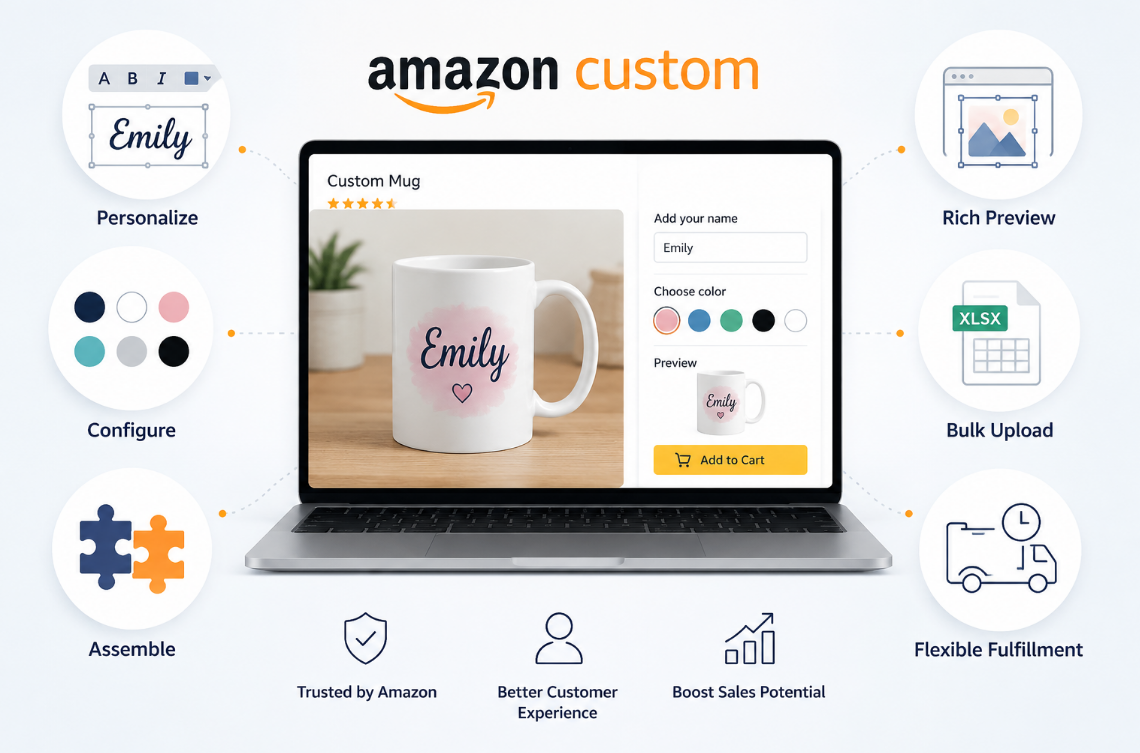
Amazon Custom provides a range of tools to help sellers create and manage personalized products directly on Amazon. From allowing customers to add names and images to configuring various product options, this program offers a more intuitive and convenient shopping experience for both sellers and customers.
Allows customers to personalize products according to their needs
With the Personalize feature, customers can customize products directly on Amazon by adding names, text, images, or logos before placing an order. For some products, Amazon also supports a Preview feature, allowing customers to check the personalized content before completing the purchase.
This significantly reduces the number of steps in the exchange between sellers and customers, while minimizing errors in the production process.
Supports multiple customization options on the same product
Amazon Custom allows sellers to combine multiple personalization methods on the same listing. For example, customers can enter their name, upload images, and select colors or other product options all in a single order.
This allows sellers to offer more choices without creating separate listings for each product variant.
Flexible product options
Besides personalized content, the Configure feature allows sellers to create options such as color, size, material, or style for customers to choose from before ordering.
The combination of personalization and product configuration makes it easier for buyers to find the version that suits their needs, while also helping sellers manage product variations more effectively.
Supports multiple surfaces and personalization options
Amazon Custom supports setting up multiple custom areas on the same product. According to Amazon, sellers can create up to 5 surfaces, 15 personalization options per surface, and 100 options per product.
This is an advantage for products with multiple printed surfaces or areas requiring personalization, such as t-shirts, hoodies, name tags, or corporate gifts.
Helps products stand out on Amazon
Products participating in Amazon Custom will be displayed with personalization options directly on the product details page, making it easy for customers to identify that these are customizable products.
A more intuitive shopping experience also helps differentiate products from regular ones and attracts customers looking for personalized gifts or products.
Proactive control over production and delivery time
Because products are only completed after receiving personalization requests, Amazon allows sellers to proactively set processing times that fit their production process.
This gives sellers enough time to complete orders according to customer requirements, while ensuring that delivery time information is displayed transparently on Amazon.
Expanding Sales Opportunities for Both Individual and Business Customers
Amazon Custom is not only suitable for individual orders but also meets the needs of business customers. Sellers can offer products printed or engraved with brand logos, event gifts, merchandise, or promotional items. As a result, sellers can reach a wider range of customer groups and expand their business opportunities beyond the personal gift market.
How to Get Started with Amazon Custom?
To start selling personalized products with Amazon Custom, simply follow these 4 steps:
Step 1: Register for an Amazon Seller Professional account
To join Amazon Custom, you first need an Amazon Seller Professional account. If you don’t have one yet, you can find detailed registration instructions here.
Step 2: Register for Amazon Custom
After creating a Seller Professional account, visit the Amazon Custom page and submit a program request. Amazon will review your information and activate the feature if your account meets the participation requirements.
Step 3: Create a personalized listing
Once approved, you can create or update your listing to add personalization options such as text, images, logos, or product attributes like color, size, and style.
Step 4: Setting up the order processing workflow
After your listing is complete, you simply need to set up an order processing time that suits your production process. Whenever an order is placed, Amazon will send you all the personalized information so you can produce and deliver it according to the customer’s requirements.
With just a few setup steps, you can start selling personalized products on Amazon and provide a more flexible shopping experience for your customers.
FAQs
1. What types of products does Amazon Custom support for personalization?
Amazon Custom supports many product categories that can be personalized, including clothing, accessories, home decor, gifts, drinkware, stationery, and many more. However, not all categories on Amazon are eligible for the program. You should check the supported categories before creating a listing.
2. Can I use Amazon Custom if I don’t already have a Seller Professional account?
No. Amazon Custom is only for Amazon Seller Professionals. If you don’t have an account, you need to register for a Seller Professional account first before you can submit a request to join Amazon Custom.
3. Does Amazon Custom support Fulfillment by Amazon (FBA)?
No. Amazon Custom orders currently only support Fulfilled by Merchant (FBM) because each product is manufactured or completed according to the customer’s specific requirements after the order is placed.
4. Is there a fee to use Amazon Custom?
Amazon does not charge extra fees to use Amazon Custom. However, you still need to maintain a Seller Professional account and pay standard selling fees according to Amazon’s policy.
5. Can I sell custom products in every category on Amazon?
No. Amazon Custom only applies to eligible product categories. If the category you want to sell in is not supported, you will not be able to enable personalization features for that listing.
6. What is the return policy for Amazon Custom products?
Personalized products are still subject to Amazon’s return policy. However, because these are products created to order for each customer, some exchanges or returns may not be accepted, especially when the product is not at fault on the seller’s or Amazon’s side. Sellers should refer to and comply with Amazon’s current policy when handling return requests.
7. How do I bulk update products on Amazon Custom?
Amazon supports bulk updates of Amazon Custom listings via Excel files (inventory file templates). This method saves sellers time when they need to add, edit, or update personalized information for multiple products at once, instead of manually working on each listing.
8. Where can I learn more about Amazon Custom?
You can learn more about Amazon Custom through Amazon’s official documentation:
Amazon Custom Introduction Page: https://sell.amazon.com/programs/custom
Amazon Custom Help Center: https://sellercentral.amazon.com/help/hub/reference/external/G201817070