
Contents
- How much does it cost to sell on Shopify?
- Which factors influence the costs when selling on Shopify?
- Can I optimize the costs to maximize my profit?
If you’re planning to start or scale a Shopify store, these are some of the most common questions you need to answer. The cost of selling on Shopify isn’t just about the monthly subscription fee; it also depends on apps, payment fees, marketing expenses, and how you structure your business.
In this article, we’ll break down how much it really costs to sell on Shopify, what drives those costs, and how you can optimize them to protect your margins and maximize profit.
How much does it cost to sell on Shopify?
The cost of selling on Shopify is not fixed. It largely depends on your business size, plan , payments, and the level of customization.
For beginners and small stores, fixed monthly costs usually range from $40 to $80, excluding payment processing fees. Once sales begin, variable costs such as card processing and currency conversion fees generally account for around 2.5%–5% of revenue, depending on your plan and target market.
For growing stores, costs tend to increase, often falling between $100 and $400 or more, while variable costs continue to scale with sales volume.
For large businesses or multi-channel and B2B sellers, total expenses can rise significantly due to Shopify Plus, partner services, marketplace integrations, and advanced customization. However, these higher costs are balanced by lower transaction fees, stronger performance, and better long-term scalability.
In short, Shopify may not be the cheapest platform, but it gives merchants the flexibility to control and optimize costs at every stage of growth. By choosing the right plan, limiting unnecessary apps, and optimizing payment and operational workflows, sellers can keep expenses manageable while maximizing profit potential.
Factors affect selling costs on Shopify
1. Monthly fees
To launch a store, you’ll need to choose a Shopify plan that matches your business stage and sales strategy. Shopify allows new users to test the platform with a 3-day free trial, followed by a $1 first month for all plans (except Shopify Plus). This setup gives sellers a low-risk window to explore features before committing to a full monthly payment.
There are 5 pricing plan options you can choose from.
| Shopify plan | Monthly fee (Billed monthly) | Monthly fee (Billed yearly) |
| Starter | $5 | $5 |
| Basic | $39 | $29 |
| Shopify | $105 | $79 |
| Advanced | $399 | $299 |
| Plus | From $2,300 | Custom |
Starter – Low cost, low complexity
- Monthly fee: $5
The Starter plan is designed for sellers who don’t need a full ecommerce website. It works best if your sales happen mainly through social media, DMs, or messaging apps. You simply share a product link, and customers check out instantly.
However, this plan offers limited customization and storefront control. If branding and user experience are a priority, Starter may feel restrictive.
Basic – The go-to plan for new stores
- Monthly fee: $39 ($29 when billed yearly)
Basic Shopify is the most common starting point for sellers building a branded online store. It includes all the essential tools needed to launch and manage an ecommerce business, such as storefront themes, a visual website builder, integrated payments, shipping discounts, tax tools, and app integrations.
Shopify – Built for growth
- Monthly fee: $105 ($79 when billed yearly)
Once your store starts gaining traction, the Shopify plan becomes a logical upgrade. It unlocks better shipping rates, more staff accounts, and additional operational features that help manage a growing business more efficiently. If you’re handling fulfillment in-house or managing a team, this plan offers meaningful cost savings and workflow improvements.
Advanced – For scaling at volume
- Monthly fee: $399 ($299 when billed yearly)
Advanced is designed for stores processing higher order volumes or running complex operations. It adds advanced reporting, deeper analytics, higher checkout capacity, and priority support. This plan is best suited for established brands that rely on data-driven decisions.
Plus – Enterprise-level flexibility
- Monthly fee: Starting at $2,300
Shopify Plus targets large-scale businesses, global brands, and B2B or wholesale sellers. It offers enterprise-grade features, dedicated support, and advanced customization options. Unlike other plans, Plus requires a minimum one-year commitment and direct contact with Shopify to enroll.
>> Which Shopify plan should you choose?
Choosing the right plan depends less on “price” and more on how and where you sell.
- If social media is your main sales channel, Starter is a smart, low-cost entry.
- If you want full control over branding and customer experience, Basic Shopify is the safest starting point.
- As your store grows, upgrading to Shopify or Advanced is seamless and can unlock cost efficiencies.
- For enterprise or B2B models, Shopify Plus is built for scale and long-term growth.
The smartest approach is to test, learn, and upgrade only when your business truly needs it. This flexibility is one of the reasons Shopify remains a popular choice across all stages of ecommerce growth.
>> Read more: How to Get Sales on Shopify for free
2. Transaction fees
One of Shopify’s biggest cost advantages lies in how transaction fees are applied. Whether you pay these fees depends largely on which payment gateway you choose.
| Shopify Plan | Transaction Fee (Third-Party Gateway) |
| Starter | Not applicable |
| Basic | 2% |
| Shopify | 1% |
| Advanced | 0.6% |
| Plus | 0.2% |
If you use Shopify Payments, Shopify’s native checkout solution available on all plans, no transaction fees are charged by Shopify. Your costs are limited to standard payment processing fees.
Transaction fees only come into play when you choose to process payments through a third-party provider instead of Shopify Payments. In that case, Shopify applies an additional percentage fee on every order.
The Starter plan is a special case. It does not support third-party payment gateways at all, meaning Shopify Payments is your only option and transaction fees are automatically avoided.
In short, if minimizing fees is a priority, using Shopify Payments can significantly reduce your overall cost per sale.
3. Credit card fees
While transaction fees are optional, credit card processing fees are unavoidable when selling online. Shopify Payments allows you to accept all major card networks from day one, but each transaction comes with a processing cost.
| Shopify Plan | Standard Cards | Premium Cards* |
| Starter | 5% | 5% |
| Basic | 2.9% + $0.30 | 3.5% + $0.30 |
| Shopify | 2.7% + $0.30 | 3.3% + $0.30 |
| Advanced | 2.5% + $0.30 | 3.1% + $0.30 |
| Plus | Most competitive rates | Most competitive rates |
*Premium cards include commercial, corporate, business cards, and all American Express cards.
What else impacts card fees?
- International cards incur an extra 1% surcharge
- In-person payments (POS) follow a different fee structure
- Fees decrease as you move to higher-tier plans
If you decide not to use Shopify Payments, your chosen third-party payment provider will apply its own processing fees. In this scenario, Shopify’s credit card fees no longer apply, but transaction fees may
4. Shopify apps
One of the reasons Shopify remains a top choice for ecommerce sellers is its robust app ecosystem. The Shopify App Store functions like an extension marketplace, allowing you to add features that go far beyond what’s included in the core platform.
Apps can help you handle everything from product sourcing and dropshipping to marketing automation, analytics, customer support, and multichannel selling. For instance, if you’re selling custom apparel or print-on-demand products, integrating a POD app allows you to design products and fulfill orders without holding inventory.
When it comes to cost, Shopify apps span a wide range. Some tools are completely free, while others operate on a freemium model, offering basic functionality at no cost and charging for advanced features. Many apps provide trial periods, but ongoing use often requires a monthly subscription or usage-based fee.
5. Shopify themes
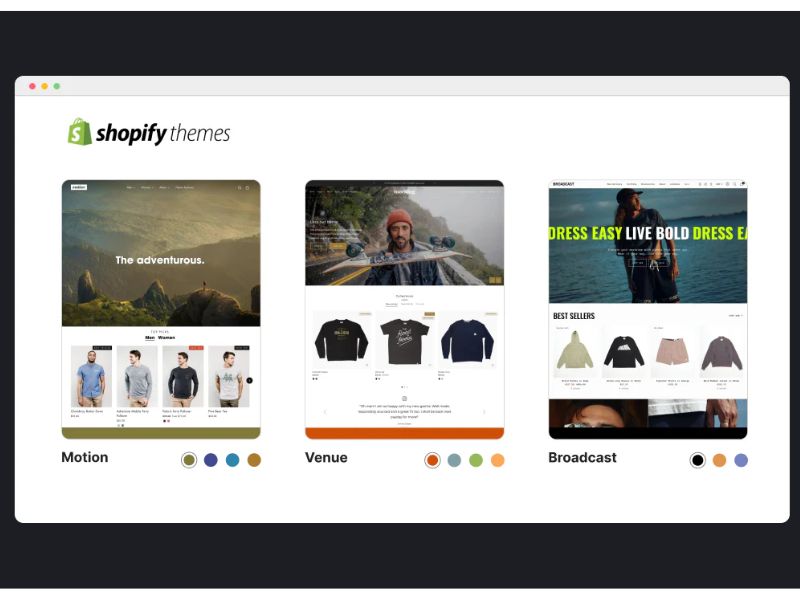
Your store’s visual identity is another potential cost factor. Shopify provides a Theme Store and you can choose how your storefront looks and feels.
There are a handful of free themes that can be customized using Shopify’s built-in editor, which is often more than enough for new sellers. For those who want a more distinctive design or advanced layout options, Shopify also offers a large selection of premium themes created by professional designers.
Paid themes typically come with a one-time cost rather than a monthly fee. Prices usually fall between $100 and $500, depending on design complexity and built-in features. Alternatively, sellers with specific branding needs may choose to create a fully custom theme, either on their own or by hiring a developer.
6. Custom domain
When you create a Shopify store, you’re automatically given a default domain ending in myshopify.com. While this works perfectly from a technical standpoint, many merchants prefer to use a custom domain to appear more professional and build brand trust.
Purchasing a custom domain involves an annual renewal fee, which is generally quite affordable. Most standard domain names cost around $10–$20 per year, though premium names or specialized extensions can be more expensive.
Shopify gives you flexibility here. That means, you can either connect a domain bought from a third-party registrar or purchase one directly through Shopify. Buying through Shopify can simplify management, as all domain settings are handled directly from your store’s dashboard.
7. Additional fees
Beyond subscriptions, payments, and core tools, Shopify also comes with a set of situational costs:
- Shipping & Fulfillment costs
If you fulfill orders yourself, Shopify allows you to purchase shipping labels directly from the dashboard, often with discounted carrier rates. In this case, shipping costs scale with order volume.
On the other hand, if you work with dropshipping or print-on-demand partners, shipping fees are handled by your fulfillment provider and billed separately from Shopify.
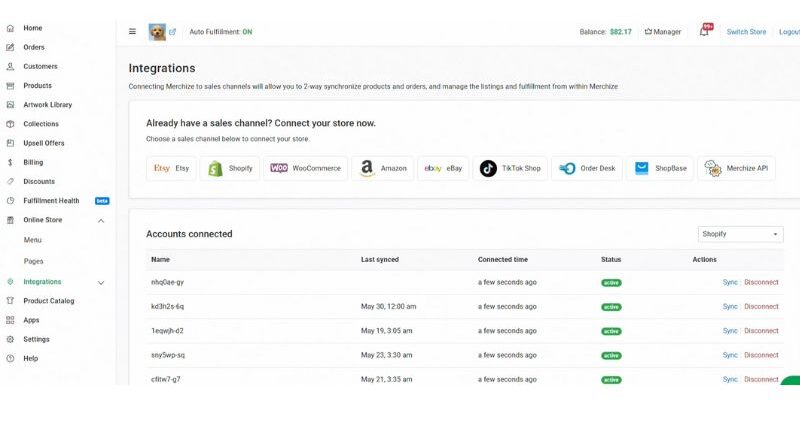
For example, Merchize has curently integrated with Shopify. And they handle the printing, packing, and shipping process, and these fulfillment costs are billed separately from Shopify. With the Shopify integration in place, orders from your store are automatically synced to Merchize for fulfillment, and tracking information is sent back to Shopify, creating a smooth and hands-off experience for sellers.
- Email marketing usage
Shopify includes built-in email marketing tools, with a generous free allowance of 10,000 emails per month. Once you exceed that limit, additional charges apply on a usage-based scale. For stores with large email lists or frequent campaigns, this can become a recurring cost.
- Currency conversion fees
If your store accepts payments in a currency different from your payout currency, Shopify applies a currency conversion fee. The rate depends on location: 1.5% in the US and 2% in other countries and regions using Shopify Payments. This fee can impact margins for international sellers.
- In-person selling (Shopify retail/ POS)
For merchants who sell both online and offline, Shopify offers point-of-sale solutions. This service comes with an additional monthly fee and is designed for physical retail, pop-up stores, or events. If you’re purely online, this cost is entirely optional.
- Professional & Partner services
Shopify provides access to a global network of experts for store setup, design, marketing, and custom development. Pricing varies widely depending on the service and scope, making this a flexible investment.
- Marketplace integration fees
If you sell on platforms like Amazon, eBay, or Etsy and sync orders through Shopify’s marketplace tools, fees may apply once you exceed free usage thresholds. These charges are capped monthly, which helps control costs for high-volume sellers.
- Sales tax automation
Shopify’s tax calculation tool is free up to a defined sales threshold in the US. Beyond that point, a small percentage fee is applied per transaction. This cost typically affects only stores operating at scale, and it’s worth planning for as revenue grows.
How to optimize costs and increase profit on Shopify
With the right setup and mindset, you can reduce cost leakage per order while still maintaining healthy conversion rates and long-term growth.
1. Prioritize Shopify payments to minimize fee overhead
Whenever possible, Shopify Payments should be your default choice.
By using Shopify’s native payment solution, you eliminate extra transaction fees when using third-party gateways. While the percentage may seem small on individual orders, it becomes significant as your order volume increases.
2. Analyze fees at the product level
Many sellers make the mistake of evaluating performance only at a store-wide level. The problem? – Unprofitable products can hide behind strong overall revenue.
Instead, track Shopify-related fees by order and by SKU to uncover what’s really happening beneath the surface. This allows you to identify:
- Products with margins eroded by payment or transaction fees
- Items that can sustain discounts, promotions, or higher ad spend
- Products that need repricing, optimization, or removal altogether
When you understand fees at the product level, you can start scaling based on actual profit. This shift is critical for building a Shopify business that grows sustainably.
3. Be selective with apps and check regularly
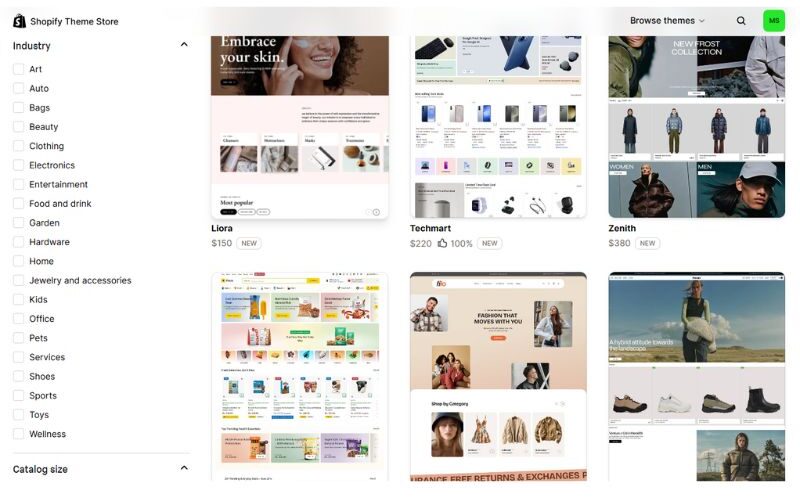
Apps are powerful but they’re also one of the most common sources of profit loss on Shopify. Many stores install apps during setup or testing phases and forget about them. Over time, even small monthly fees stack up, especially when multiple apps overlap in functionality (upsells, reviews, popups, analytics, etc.).
To keep costs under control:
- Review your installed apps at least once a quarter
- Remove tools that don’t directly contribute to revenue or conversion
- Replace multiple single-purpose apps with one multifunctional solution when possible
A lean app stack not only saves money but often improves site speed and checkout performance, leading to better conversions and higher profit overall.
FAQs
For most online sellers, Shopify is absolutely worth it. The platform offers flexible pricing plans, built-in payment processing, and a reliable infrastructure that can scale as your business grows.
2. Is it better to sell on Etsy or Shopify?
Etsy works well for beginners, hobby sellers, or anyone testing product ideas. Shopify, on the other hand, is better suited for sellers who want to build a brand, control the customer experience, and scale independently.
3. Is it expensive to sell on Shopify?
Selling on Shopify can be cost-effective or relatively expensive, depending on how you set up and run your store. Entry-level plans start at $5 per month, but most serious sellers choose higher-tier plans for better features and lower fees. In addition to subscription costs, sellers should account for payment processing fees and optional expenses like apps, themes, and marketing tools.