Contents
With over 631 million monthly active users, Pinterest has quietly become one of the most powerful and most underestimated platforms for building an online income. While most sellers are pouring their energy into Instagram Reels and TikTok videos, another group is earning steady paychecks from Pins they uploaded months ago.
In this guide, we’ll walk you through 10 real, actionable ways to make money on Pinterest in 2026, from selling print-on-demand products and running affiliate links to offering Pinterest management services. We’ll also cover what actually makes the platform tick, how to set yourself up correctly from the start, and what realistic income looks like so you can go in with the right expectations.
Let’s get into it.
Why Pinterest Is Different
Before diving into specific methods, take a minute to understand why Pinterest works so differently, because if you grasp this, everything else becomes much easier.
With Instagram or TikTok, people go there for entertainment. The algorithm pushes them content they weren’t actively searching for, and your posts only last about 24 to 48 hours before fading into oblivion. You’re constantly vying for attention in a space designed around passive consumption.
Pinterest is the opposite. People go there with a purpose. They’re planning a wedding, renovating their living room, finding a birthday gift for their dad, or researching what kind of coffee mug their colleague would like. They come with a specific intention, and very often, that intention is to buy something.
What does that mean for you? That is, every person who sees your Pin is already in a buyer mindset. You don’t interrupt their browsing. You’re answering their search.
Here are some numbers to illustrate:
- 96% of top searches on Pinterest are not brand-specific, meaning users aren’t searching for “Nike" or “Amazon." They’re searching for “minimalist wall art" or “funny gifts for nurses." That’s your opportunity.
- Gen Z is the fastest-growing demographic, currently accounting for 42% of Pinterest’s global user base.
- A well-optimized Pin can continue to generate traffic and revenue for months, even years, after you post, something no other platform can do.
Another difference is the number of followers. On Instagram, followers are essentially your reach. On Pinterest, a brand-new account with 200 followers can outrank an account with 50,000 followers if their Pins rank well in search. Keyword optimization is important, not popularity.
Get Ready Before You Earn
Jumping straight into making money without the right foundation is one of the most common mistakes beginners make on Pinterest. Take some time to learn the basics and you’ll save months of frustration later.
Switch Your Personal Account to a Pinterest Business Account
A personal account only gives you the basic features. A business account is completely free and gives you access to Pinterest Analytics, shopping features, Shoppable Pins, product catalogs, and advertising tools. If you’re serious about making money on Pinterest, a business account is essential.
The conversion only takes about two minutes. Go to settings, select “Switch to business" then fill in your business information, and you’re done.
Once you have a business account, verify your website, Etsy store, or Shopify store. Verifying your website will unlock Rich Pins, automatically fetching product information, titles, and prices from your store, making your Pins significantly more informative and professional.
Mastering Basic Knowledge about Pinterest SEO
This is what distinguishes Pinterest accounts that quietly make money from those that just look good: keywords.
Pinterest is a search engine. This means the text you put in your Pin title, Pin description, board name, and board description is how the platform decides who will see your content. Using the right keywords will ensure your Pins continue to appear in search results month after month. Using the wrong keywords, no matter how beautiful your Pins are, will leave them gathering dust.
Some practical tips:
- Use the Pinterest search bar to find keywords. Start typing your topic and pay attention to the autocomplete suggestions. These are real searches by real users.
- Check Pinterest Trends (trends.pinterest.com) to find keywords with increasing search volume in your niche.
- Be specific. “Cup" is a keyword. “Funny coffee cup for colleagues" is a keyword with a high conversion rate.
- Keywords to include in the title: Pin, the first 100 characters of the description, board name, and board description.
Strategic Board Setup
Your boards are essentially a repository that helps Pinterest understand what your account is about. Create boards with titles that contain keywords relevant to what your ideal customers will type into the search bar. If you sell home decor, a board titled “Things I Like" doesn’t say anything to Pinterest. “Boho Living Room Decor Ideas" says it all.
Aim for at least 10 to 15 Pins in each board before considering it active, and combine your content with helpful content from other sources. A good rule of thumb: about 70% your content, 30% curated from outside sources.
Understanding Pin Design Basics
You don’t need to be a graphic designer to create effective Pins. But you need to understand a few things that differentiate high-click Pins from the rest.
- Aspect ratio: 2:3 (1000×1500px) is standard for static Pins and works best on phones, where most Pinterest users browse the web.
- Product-centric image: Your product should be the clear focal point, not lost in the background.
- Text overlay: Short, high-contrast text helps convey the Pin’s value in an instant. Use it sparingly but strategically. “The Perfect Mother’s Day Gift for Dog Lovers" accomplishes a lot.
- Multiple variations: Create 3 to 5 different Pins for the same product or post, each targeting a different keyword or visual perspective. This multiplies the number of searches that can find your content.
Tools like Canva (free) or Adobe Express make this possible even if you’ve never designed before.
10 Ways to Make Money on Pinterest in 2026
Now that you have a solid foundation, let’s delve into the specific methods. We’ve organized them into three groups based on what you have: a physical or digital product to sell, an audience to monetize, or skills you can offer as a service.
Group 1: Sell Products (No Inventory or Inventory)
1. Print on Demand
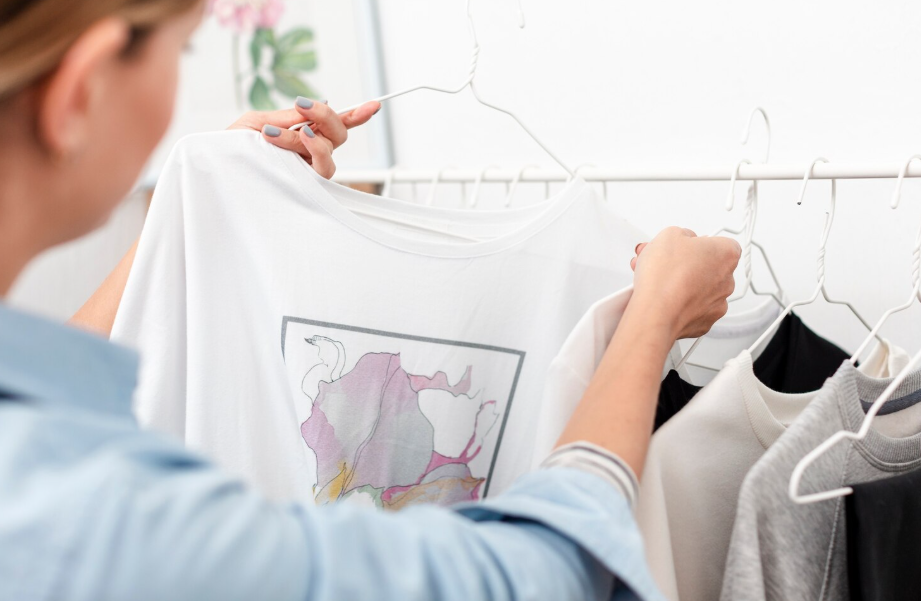
If you want to sell physical products without needing to maintain inventory, handle packaging and shipping yourself, or invest money upfront, then print-on-demand is the most beginner-friendly path, and Pinterest is one of the best free marketing channels for this model.
What is print-on-demand, and how does this model work? Simply put: you create a design, post the product to your online store, and connect with a print-on-demand provider like Merchize. When a customer places an order, Merchize prints the product and delivers it directly to them. You never have to touch the product or worry about inventory. You just profit.
What makes PODs and Pinterest a perfect match is that Pinterest users are ready to buy. People searching for “funny retirement gifts for bosses" aren’t just browsing; they want to find something and buy it. If your Pin appears with the right product at the right time, that click very often translates into an order.
Another advantage is reach. On Etsy, a listing only has one chance to rank. On Pinterest, you can create five or ten different Pins for the same product, each targeting a different keyword or angle, giving that product dozens of opportunities to be discovered.
Popular POD products on Pinterest:
- Home decor & Wall art: Especially niches like boho, minimalist, farmhouse, and cottagecore. Pinterest users are actively decorating their homes, and visual products work extremely well here.
- Gifts: Personalized mugs, tote bags, blankets, and decorations for specific occasions (Mother’s Day, graduation, Christmas, retirement).
- Clothing: T-shirts and hoodies targeting specific communities such as dog lovers, teachers, nurses, retired military personnel, and golfers. The more specific the niche, the higher the conversion rate.
- Seasonal products: Pinterest users plan and start pinning Christmas gift ideas from October, Valentine’s Day gifts from December, and Mother’s Day gifts from March.
How to get started:
- Sign up for a free Merchize account
- Browse product catalogs and select items that match your niche
- Create a design (Canva is great for this)
- Connect a store like Etsy, Shopify, WooCommerce, or Amazon
- Create a Pinterest Business Account and connect your product catalog
- Upload Shoppable Pins with titles and descriptions containing keywords
- Create multiple Pin variations for each product and save them to the relevant boards
Pro Tip to make Pin designs for POD products: Keep the product at the center. Lifestyle mockups work well when helping customers imagine using the product (e.g., the cup in someone’s hand on a cozy morning). Clean product mockups work best when the design itself is the main selling point. When in doubt, experiment with both.
2. Physical Products
Print-on-demand isn’t the only way to make money by selling physical products on Pinterest. If you already manufacture your own products, create handmade goods, or run an e-commerce store, Pinterest can become one of your most valuable sources of long-term, organic traffic. Unlike most social platforms, Pinterest users actively search for products and ideas before making a purchase. Someone searching for “minimalist table lamp," “handmade ceramic mug," or “gift for new homeowners" isn’t just looking for inspiration; they’re often comparing options and getting ready to buy. This purchase intent makes Pinterest particularly effective for visually appealing products such as home decor, fashion, beauty, handmade goods, kitchenware, gifts, and lifestyle accessories.
Pinterest acts more like a visual search engine than a traditional social network.
Instead of relying on followers to discover your products, your Pins can appear in search results whenever users look for relevant keywords. A well-optimized Pin may continue generating clicks and sales months after it is published.
Even better, Pinterest offers several e-commerce features that help shoppers move from discovery to purchase with fewer steps.
Connect Your Online Store
Before promoting products on Pinterest, you’ll need an online store where customers can complete their purchase.
Some popular options include:
- Shopify – Best for building your own ecommerce brand.
- Etsy – Ideal for handmade, vintage, and unique products.
- WooCommerce – A good choice if your website runs on WordPress.
Once your store is connected to Pinterest, you can unlock several shopping features designed to improve visibility and conversions.
Use Product Pins
Product Pins display more than just an image. They can automatically show important information such as:
- Product name
- Current price
- Availability
- A direct link to your product page
This allows shoppers to move directly from discovering a product to purchasing it without unnecessary steps.
Enable Rich Pins
Rich Pins automatically sync product information from your website.
If you update your product title, description, or price in your Shopify or WooCommerce store, Pinterest updates the information automatically. This helps keep your Pins accurate while reducing manual work.
Upload Your Product Catalog
If your store contains dozens or even hundreds of products, manually creating Pins for each one quickly becomes impractical.
Pinterest Catalogs let you sync your entire product catalog with Pinterest, automatically generating Product Pins for eligible products. This saves time while making your complete inventory discoverable through Pinterest search.
Consider the Verified Merchant Program
Pinterest also offers a Verified Merchant Program for eligible businesses.
Verified merchants receive additional credibility on the platform and may gain better visibility in shopping experiences. While it’s not required, it’s worth applying once your store is established and meets Pinterest’s requirements.
Scale Winning Products with Shopping Ads
Once you’ve identified Product Pins that consistently receive impressions, saves, clicks, or sales, consider promoting those products with Shopping Ads.
Instead of advertising every product, focus your budget on products that have already proven they resonate with Pinterest users. This data-driven approach often delivers a better return on ad spend.
Best Practices for Selling Physical Products on Pinterest
To improve your chances of generating sales, follow these best practices:
- Create multiple Pins for the same product, each targeting different keywords or customer needs.
- Use lifestyle photography that shows the product in real-life situations instead of only plain product shots.
- Write keyword-rich Pin titles and descriptions that match what customers are actually searching for.
- Organize Pins into relevant keyword-focused boards.
- Monitor Pinterest Analytics regularly and create more content around your best-performing products.
What If You Don’t Want to Manage Inventory?
Managing inventory, packaging, and shipping isn’t for everyone.
If you want to sell physical products without purchasing inventory upfront or handling fulfillment yourself, print-on-demand offers a much simpler alternative.
With a print-on-demand provider like Merchize, your products are automatically printed and shipped only after a customer places an order. You can still connect your Shopify or Etsy store to Pinterest, use Product Pins, Rich Pins, Catalogs, and even Shopping Ads the customer experience remains almost identical, while your operational workload is significantly lower.
This makes print-on-demand an excellent option for beginners who want to test product ideas before investing in inventory or building a traditional ecommerce business.
3. Digital Products
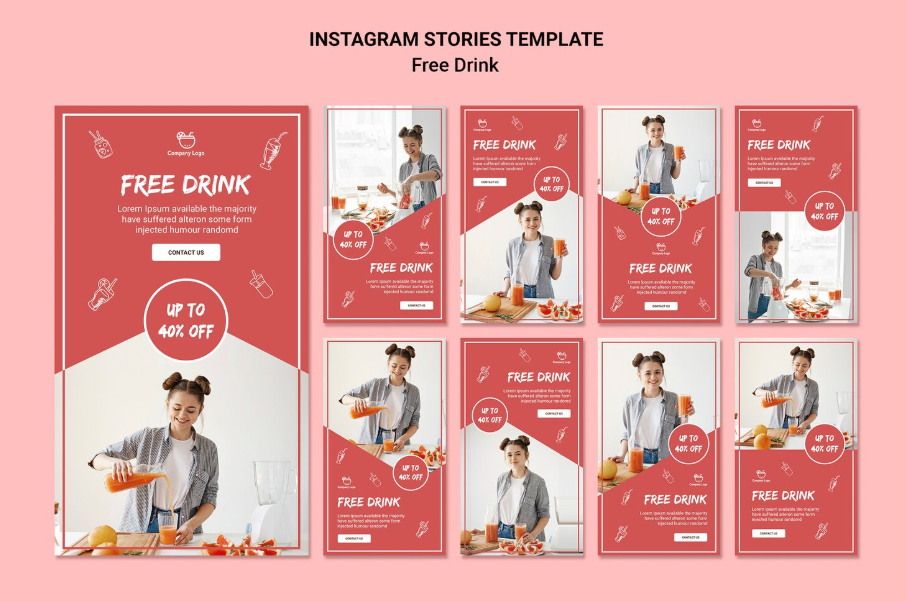
If creating physical products isn’t your thing, digital products are probably the simplest business model to start with. Once you’ve created the product, every future sale costs almost nothing to fulfill.
Pinterest is an ideal environment for digital products because Pins have a long lifespan. A Pin you create today can continue to drive buyers to your digital product page for a year or more.
Popular digital products that sell well on Pinterest include Canva templates for social media, planners and budget trackers, printable meal plans, photography presets, ebook layouts, and niche guides. The key is to solve a specific problem for a specific person.
You can sell digital products through Etsy, Gumroad, Payhip, or Shopify’s Digital Downloads app. Next, create pins that lead directly to the product page, or if you want to build an email list first, drive traffic to a landing page offering a free template in exchange for an email address.
Group 2: Monetize Your Traffic
4. Affiliate Marketing
Affiliate marketing on Pinterest is based on a simple mechanism: you promote a product, share a unique link, and earn a commission when someone clicks and buys. No inventory, no customer service, no shipping. Just commissions.
Pinterest is one of the best platforms for affiliate marketing because people come here with the intention of discovering and buying, meaning your affiliate links reach the right audience at the right time.
Affiliate networks that work well with Pinterest:
- Amazon Associates: huge product catalog, suitable for almost any niche
- LTK (formerly LikeToKnowIt): popular for fashion, home, and beauty
- Rakuten and ShareASale: strong in lifestyle, parenting, and food
- ClickBank: digital products and online courses
A key strategic tip: Instead of linking Pins directly to affiliate URLs, drive traffic to your blog post first. Write a post like “10 Best Gifts for Dog Lovers Under $30" full of affiliate links, then create Pins that lead to that post. This approach engages readers before they click, increases conversion rates, and also makes your Pinterest account look more natural rather than purely promotional. Remember to declare the affiliate relationship in the Pin description. Both the FTC and Pinterest’s policies require this, and transparency really builds trust with your audience.
The best niches for affiliate marketing on Pinterest: home decor, fashion, beauty, cooking and baking, parenting, travel, personal finance, and fitness. These categories have large audiences and high purchase intent.
5. Driving Traffic to a Monetized Blog
If you have a blog or want to start one, Pinterest can be your biggest source of free traffic, thereby boosting your blog’s income through display ads and affiliate links.
Here’s how this cycle works: you publish blog content that your target audience is searching for, create multiple Pins targeting different aspects of each post, and drive traffic from Pinterest to your blog. When readers arrive at your site, they encounter display ads (via networks like Mediavine or Raptive) and affiliate suggestions integrated into the content.
The key is to view your blog posts and Pins as a well-matched pair. Your Pin title should directly address the reader’s search intent, not just the blog post title. “10 Budget-Friendly Boho Living Room Ideas" accomplishes much more than “My Living Room Renovate." Additionally, create at least three different Pins for each blog post, changing the image, title, and perspective. Save them to all relevant boards and track which combination generates the most clicks in Pinterest Analytics.
6. Build an Email List and Sell Later
You don’t always need to make a sale on the first click. A more sustainable strategy is to convert Pinterest users into email subscribers first, then introduce your product or service.
This works in a simple process:
Pinterest Pin → Free Giveaway → Email Sign-up → Product Introduction
Instead of directing the Pin directly to a sales page, offer a lead magnet (a free resource) in exchange for an email address. This could be:
- A printable checklist or planner.
- Canva templates.
- An ebook or short guide.
- A discount code for a first purchase.
- A free resource pack.
After users sign up, you can continue sending emails sharing helpful content and introducing products when appropriate. This often yields higher conversion rates than trying to sell directly from Pinterest.
To get started, you just need to:
- Create a lead magnet that matches your target audience.
- Set up landing pages and signup forms using tools like MailerLite, Kit, or Mailchimp.
- Create multiple PINs leading to the landing page with catchy titles such as “Free Wedding Planning Checklist" or “Download Free Canva Templates".
Building an email list is a long-term strategy. Each PIN not only brings in a visit but can also become a potential customer for you to continue reaching out to and selling to in the future.
Group 3: Sell Your Skill
7. Pinterest Management Services
Once you understand how Pinterest SEO works, how to design high-converting Pins, and how to build boards that drive traffic, you have a skill that many small businesses and online stores desperately need and are willing to pay for.
Many business owners know Pinterest is important to their brand, but lack the time, knowledge, or bandwidth to do it well. That’s where you come in.
Services you can offer as a Pinterest manager:
- Pinterest profile review and setup
- Keyword research and board strategy
- Pin design and creation
- Scheduling and publishing (using tools like Tailwind)
- Monthly analytics reports with recommendations
Actual income: Pinterest management services typically range from $500 to $2,000 per client per month, depending on scope. Just two or three long-term clients can add up significantly.
Where to find clients: Upwork and Fiverr are good starting points. Facebook groups for Etsy sellers and Shopify store owners often have many people looking for exactly this kind of help. LinkedIn works well for reaching small business owners. Build your portfolio by managing your own Pinterest account first. Your account performance is the most compelling case study.
8. Become a Pinterest Virtual Assistant
If you’re good at Pinterest’s operational aspects, scheduling Pins, organizing boards, keyword research, tracking analytics, you can offer virtual assistant services to creators and businesses that manage their own strategies but need someone to handle the execution. This is a great option if you want to start earning money quickly without waiting months for organic traffic to increase. You can secure your first client within weeks of learning the basics.
Common VA tasks include: scheduling content using Tailwind or Pinterest’s native scheduler, creating Pins from provided images and copy, organizing boards and cover art, tracking weekly analytics, and conducting keyword research.
Remuneration: Pinterest VAs typically charge $15–$50 per hour, depending on experience. Many work on monthly contracts of $300–$800 for a certain number of hours or outputs per month.
9. Selling Pinterest Templates
If you have a good eye for aesthetics, you can create Pinterest Pin templates and sell them to other creators and business owners who want a consistent presence on the platform but don’t want to design from scratch every time.
The demand is real. Bloggers, coaches, product sellers, and small brands all need a library of Pin templates that match their aesthetic, and they are willing to pay for a good, easily customizable set of designs.
What sells well: niche Pin template sets (templates for food bloggers, templates for home decor stores, templates for wellness coaches), cover board photo sets, seasonal Pin sets, and multi-format sets (standard Pin + video Pin + idea Pin).
Sell on Etsy, Creative Market, or Gumroad. Price individual sets between $10–$30 to attract a wide audience, with premium sets potentially higher.
10. Sponsored Content and Brand Partnerships
As your Pinterest account grows, brands in your niche may reach out to you, or you may reach out to them, to create sponsored Pins to promote their products or services. You create authentic, brand-relevant content that promotes products, and the brand pays you.
This model works particularly well on Pinterest because the platform’s visually appealing, aspirational format is well-suited to authentic product recommendations. Brands know that a creator’s authentic recommendation carries more weight than traditional advertising, which is why sponsored content budgets continue to grow.
What brands look for: a niche audience (more important than absolute follower count), consistent aesthetics, and high-performing content. Monthly impressions and click-through rates are far more important than the number of followers on Pinterest.
How to position yourself for brand deals:
- Build a media kit that includes monthly impressions, audience demographics, niche, and engagement rate.
- Use Pinterest’s Paid Partnership tag on all sponsored content; this helps you stay compliant and shows brands your performance data directly.
- Reach out to brands that have products you’ve actually used and recommended.
Estimated earnings: Creators with 100,000–500,000 monthly views typically earn $300–$1,000 per sponsored Pin, while those with 50,000–100,000 monthly views are usually in the $100–$300 range. These numbers vary significantly depending on the niche and relationships.
Which Method Should You Choose?

Reading till here, you might be confused which method is suitable for your position, then you can check the table below to get over view:
| If you… | Start with… | Why |
| Are a complete beginner | Print-on-Demand or Affiliate Marketing | Low startup cost and easy to learn. |
| Already have an online store | Physical Products | Drive free traffic directly to your products. |
| Enjoy creating designs | Digital Products | High profit margins and scalable passive income. |
| Own a blog | Monetized Blog + Affiliate Marketing | Monetize Pinterest traffic through ads and affiliate links. |
| Want to build a long-term business | Build an Email List | Turn visitors into repeat customers. |
| Have marketing or design skills | Pinterest Manager or Pinterest VA | Offer services and generate recurring income. |
| Already have a loyal audience | Sponsored Content | Earn by partnering with brands. |
Common Mistakes to Avoid
After understanding the ways to make money, it’s equally important to avoid the mistakes that cause many people to give up too soon. Below are the most common mistakes beginners often make.
Treating Pinterest like a social network
Many people post Pins inspired by Instagram or Facebook, but Pinterest works like a search engine. If Pins aren’t optimized for keywords, titles, and descriptions, it’s difficult for them to appear in search results, no matter how beautiful the design.
Solution: Research keywords before creating Pins and title them according to what users are searching for.
Posting only a few Pins and giving up
Pinterest doesn’t yield immediate results. A Pin can take weeks or months to start gaining visibility.
Solution: Maintain regular Pin posting and monitor performance for at least 2–3 months before evaluating results.
Creating only one Pin per product
One product rarely succeeds with only one Pin. In fact, many Pinterest marketers don’t know which design will perform best until they’ve tested several versions targeting different keywords. For example, the same mug could be marketed as: Funny Gift for Coworker, Retirement Gift Idea, Office Coffee Mug, Secret Santa Gift, etc. This significantly increases the chances of appearing in search results.
Ignoring Pinterest Analytics
Many people focus solely on creating PINs without checking the data. Pinterest Analytics shows which PINs are getting the most impressions, saves, and clicks. This is the basis for knowing what kind of content to continue creating.
Trying to monetize too many things at once
Affiliate marketing, POD, blogs, email lists, digital products… all are appealing. But if you’re just starting out, pursuing too many models will leave you with insufficient time to build any of them effectively.
Advice: Choose one main method, build a solid foundation, and then expand to other revenue streams.
How AI Can Help You Grow Faster

In recent years, the world has witnessed the remarkable development of AI in all fields. AI can’t build a successful business for you, but it can save you a lot of time when creating content and optimizing Pinterest. Here are some ways you can leverage AI in your workflow:
- Content idea research: AI can suggest Pin ideas based on seasons, trending topics, relevant keyword lists, potential niches, etc.
- Writing Pin titles and descriptions: Instead of spending a lot of time thinking of titles, AI can generate multiple versions for you to test.
- Faster blogging: If you use Pinterest to drive traffic to your website, AI can assist with: Outlining, drafting, SEO optimization, writing meta descriptions, suggesting internal links, etc. You should still edit the content to ensure accuracy and brand relevance.
- Creating images and mockups: AI can assist you in creating images, mockups, illustrations, etc.
- Analyzing and improving performance: You can use AI to analyze high-performing Pins and improve low-performing Pins.
AI helps you work faster, but success on Pinterest still depends on understanding your customers and creating truly useful content.
FAQs
1. Can you really make money on Pinterest?
Yes. However, Pinterest doesn’t pay directly for Pin views. You earn money by using Pinterest to sell products, promote affiliate links, drive traffic to your blog, or offer services.
2. How many followers do you need to make money on Pinterest?
There is no minimum number of followers. Pinterest is search-driven, so a new account can still receive a large amount of traffic if Pins are well-optimized.
3. Is Pinterest still worth it in 2026?
Yes. Pinterest remains one of the few platforms capable of generating organic traffic for months or even years after content is posted.
4. How long does it take to make money on Pinterest?
This depends on the model you choose. Services like Pinterest Management or Virtual Assistant can generate income in just a few weeks, while affiliate marketing, blogging, or email marketing typically require several months to build a steady stream of traffic.
5. What is the easiest way for beginners to start?
Print-on-Demand and Affiliate Marketing are often the two most suitable options because of their low cost and minimal experience requirements.
6. Can I use Pinterest without a website?
Yes. You can still link your Pinterest to Etsy, Shopify, Gumroad, or other landing pages to sell products or collect emails. However, owning a website will give you more opportunities to earn money in the long term.
Conclusion
Pinterest isn’t a platform that will make you money overnight. But if used correctly, it can become a stable and long-term traffic source for most online business models.
Whether you want to sell physical products, digital products, do affiliate marketing, build a blog, or offer services, Pinterest can serve as a low-cost channel to attract customers and generate long-term results.
If you’re just starting out, don’t try to apply all 10 methods at once. Choose a model that suits your existing skills and resources, persistently create quality content, and optimize Pinterest SEO. As traffic increases, you can combine other revenue streams to build a sustainable business system.
For print-on-demand sellers, Pinterest is particularly suitable due to its ability to bring visually appealing products to the right customer group that is actively shopping. Combining a Shopify or Etsy store with a POD provider like Merchize can help you start a business without investing in inventory, while still leveraging the entire Pinterest shopping ecosystem.