
Contents
- Why should you optimize Shopify image sizes?
- Add 700+ Print on Demand Products to Your Shopify Store
- Shopify image sizes: Follow the rules of game to skyrocket your sales
- Choosing the right image formats on Shopify to optimize performance
- Common mistakes to avoid when uploading images to Shopify
- Tips for choosing images to sell on Shopify
When building a Shopify store, many sellers focus on products and marketing while overlooking the role of images. However, optimizing Shopify image plays a critical role in improving page load speed, user experience, and conversion rates. If images are too heavy or incorrectly sized, your website may load slowly, appear unprofessional, and lose customers within the first few seconds.
In this article, you will understand how to choose the right Shopify image sizes for each section of your store to optimize performance and drive sustainable revenue.
Why should you optimize Shopify image sizes?
(1) Better user experience across devices
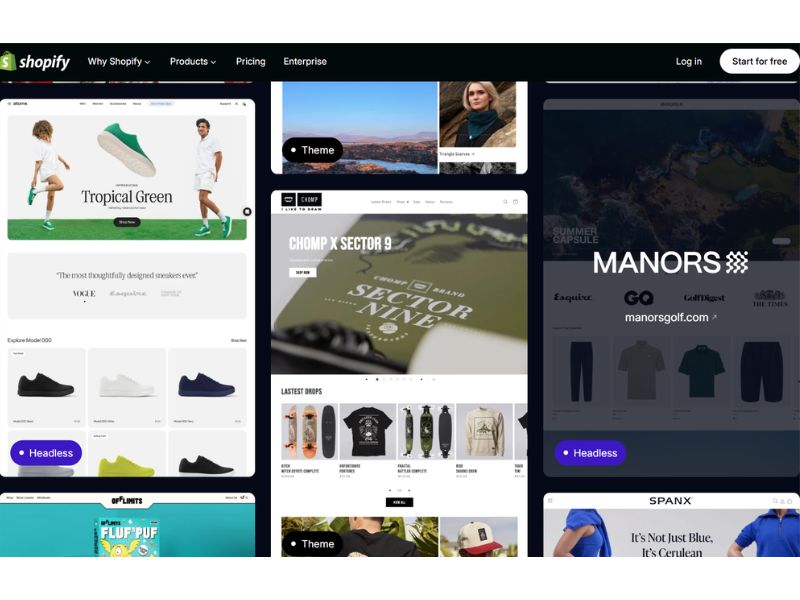
Most sellers focus on making their storefront look visually appealing but overlook a factor directly impacting revenue: Shopify image sizes. Meanwhile, user behavior has shifted, with mobile traffic now accounting for more than half (according to Statcounter). This means your images must display properly across different screen sizes. If not optimized, you create a poor experience: images appear blurry, stretched, or too heavy, causing slow loading and forcing users to zoom or scroll unnecessarily.
(2) Faster loading speed and lower bounce rate
Image size has a direct impact on page load speed. The larger the image, the longer it takes to load, and every second of delay increases the likelihood of users leaving. This is one of the easiest areas to optimize, yet often overlooked. When loading speed improves, the experience becomes smoother and conversion rates increase accordingly.
Add 700+ Print on Demand Products to Your Shopify Store
(3) Better SEO and more organic traffic
Optimizing Shopify image sizes is not just about display; it also affects SEO. Since Google updates, page speed, especially on mobile, has become a ranking factor. This means poorly optimized images don’t just cost you customers; they also reduce your visibility on search engines.
(4) Lower operational costs when scaling
From an operational perspective, optimized images reduce bandwidth usage and storage requirements, helping lower long-term costs. As your store scales to hundreds or thousands of products, this difference becomes more significant and directly impacts overall efficiency.
Read more: How Much Does it Cost to Sell on Shopify? (Updated)
Shopify image sizes: Follow the rules of game to skyrocket your sales
Image size and aspect ratio on Shopify don’t follow a single universal standard. They depend directly on where the image is used (product, banner, blog, etc.) and the theme you’re running.
Shopify image sizes overview
Each type of image in your store serves a different role, which comes with specific size requirements. For example, background images need high resolution to cover the full screen, product images must be sharp enough to support zoom, while logos should stay lightweight to avoid slowing down the header. Below are the key specifications you need to understand.
| Types of image | Desktop (px) | Mobile (px) | Ratio | Max File Size |
| Background | 2560 × 1400 | 360 × 640 | 16:9 | 20 MB |
| Hero Image | 1280 × 720 | 360 × 200 | 16:9 | 10 MB |
| Banner | 1200 × 400 | 360 × 120 | 3:1 | 150 KB |
| Blog Image | 1200 × 800 | 360 × 240 | 3:2 | 3 MB |
| Logo (Horizontal) | 400 × 100 | 160 × 40 | 4:1 | 1 MB |
| Logo (Square) | 100 × 100 | 60 × 60 | 1:1 | 1 MB |
| Favicon | 16 × 16 | 16 × 16 | 1:1 | 1 MB |
| Product Image | 2048 × 2048 | ≥ 800 × 800 | 1:1 | 20 MB |
| Collection Image | 1024 × 1024 | 800 × 800 | 1:1 | 20 MB |
| Slideshow | 1600 × 500 | 800 × 250 | 16:5 | 10 MB |
Product image size
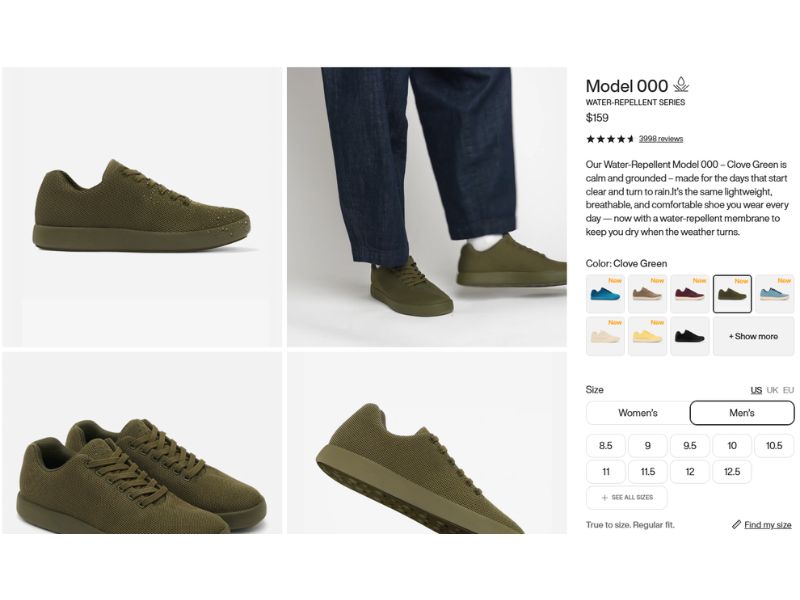
Product images directly influence purchase decisions. Since customers can’t physically interact with the product, their entire evaluation depends on what they see.
Shopify allows very large uploads (up to 5000 x 5000px), but that level of resolution isn’t necessary for actual display.
- Optimal size: 2048 x 2048px
- Aspect ratio: 1:1
- Maximum file size: 20 MB
2048px provides enough clarity for retina displays while maintaining performance. If the image is too small (for example, below 800px), the zoom feature becomes ineffective. On the other hand, oversized images increase initial load time, even if Shopify compresses them automatically.
Beyond resolution, consistency across product images is critical. When displayed in galleries or grids, mismatched ratios or compositions can break alignment and make the store look unprofessional.
Check out: 20 Best Selling Items on Shopify 2026 for Long-Term Wins
Collection image size
Collection pages display multiple products within a grid, so consistency becomes even more important.
- Size: 1024 x 1024px
- Aspect ratio: 1:1
- Maximum file size: 20 MB
If images vary in size or ratio, the grid becomes uneven, with misaligned rows or inconsistent spacing. This often happens when images are sourced from different places without standardization.
Shopify also resizes collection images to fit the layout, so incorrect source ratios may result in automatic cropping that cuts off key content.
Hero image size
Hero images sit at the top of the page and are typically the largest visual element in the initial viewport.
- Size: 1280 x 720px
- Aspect ratio: 16:9
- Recommended file size: under 10 MB
The image needs to be sharp enough for large screens but optimized for performance. Oversized files directly impact Largest Contentful Paint (LCP), while images that are too small will stretch and lose clarity. This is one of the areas where balancing quality and performance is critical.
Shopify banner size
- Common sizes: 1200 x 400px or 1800 x 600px
- Aspect ratio: 3:1 or 16:9
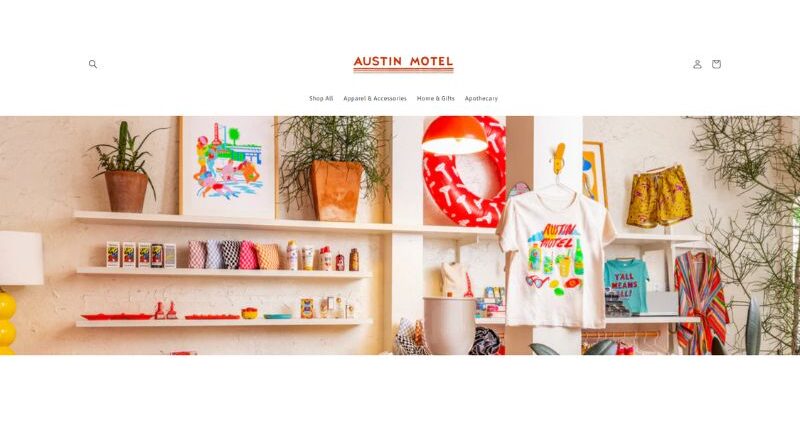
Banners are often used to display key messages or promotions, so they must be designed with responsiveness in mind. On mobile devices, the sides of the image are usually cropped, meaning important content should be placed toward the center. Without this consideration, text or CTAs may be cut off on smaller screens.
Shopify background image size
- Size: 1920 x 1080px
- Aspect ratio: 16:9
Background images usually span the full width of the screen, so insufficient resolution will result in visible pixelation on larger displays. At the same time, if the file size is too large, it can become one of the heaviest assets on the page and slow down loading.
Another factor to control is visual complexity. Overly detailed backgrounds can reduce content readability and distract attention away from the product.
Blog image size
- Size: 1200 x 800px
- Aspect ratio: 3:2
Blog images affect how articles appear in listing pages and when shared on social platforms. If the size or ratio is off, images may be cropped incorrectly or displayed poorly in previews, which reduces click-through potential.
Favicon size
- Size: 16 x 16px or 32 x 32px
- Aspect ratio: 1:1
Due to its extremely small size, a favicon needs a simple, clear design to remain recognizable. Overly detailed visuals will not render well at this scale.
Logo size
- Square logo: 100 x 100px
- Horizontal logo: 400 x 100px
- Recommended file size: under 1 MB
The logo appears across the entire site, especially in the header. If the file is too large, it impacts loading performance on every page. Without a transparent background, the logo may not display properly across different sections or backgrounds.
Header image size
- Height: around 120px (varies by theme)
The header is a persistent element across all pages. Any issue here such as oversized images or incorrect dimensions will affect the overall site experience consistently, not just on a single page.
Images with text size
- Size: around 1800 x 1000px
- Aspect ratio: 9:5
For this type of image, the key factor is controlling the visible content area. On mobile devices, parts of the image are often cropped. If text is placed outside the safe zone, the message may be cut off or incomplete.
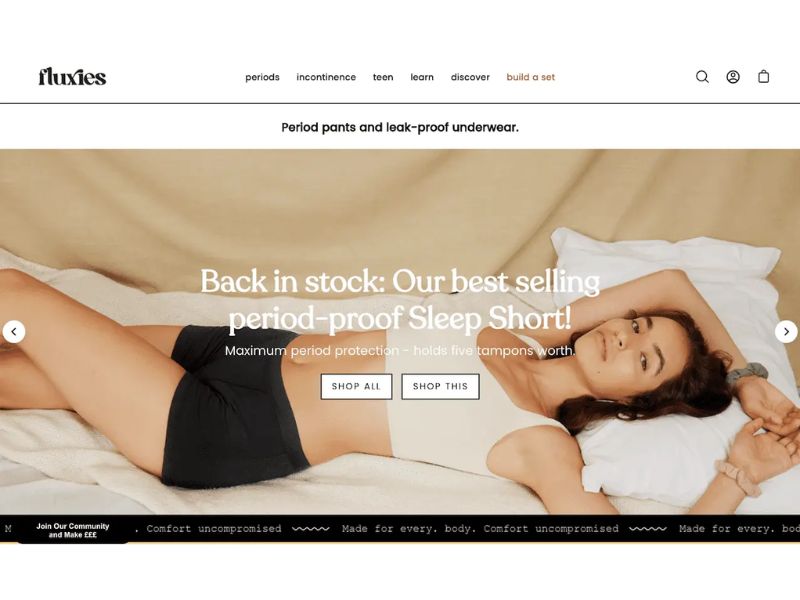
Slideshow image size
- Desktop: 1600 x 600px
- Mobile: 1200 x 400px
- Aspect ratio: 16:5
Slideshow images are typically designed in a wide format, which leads to aggressive side cropping on mobile. If the focal point is not centered, important content may not be fully visible across different screen sizes.
Choosing the right image formats on Shopify to optimize performance
Shopify supports multiple image formats, but choosing the right one directly impacts file size, page speed, and visual quality. Each format serves a different purpose within your store. If used incorrectly, you may increase page weight without improving the user experience.
WebP – best overall performance
WebP should be the default choice for most images on Shopify, including product images, collections, banners, and blog visuals.
Its main advantage is superior compression compared to JPG and PNG while maintaining similar visual quality. This significantly reduces file size and improves loading speed, especially on mobile devices. Shopify also automatically delivers WebP on supported browsers, so there are minimal technical barriers to using it.
JPG/ JPEG
JPG remains widely used for images with high complexity, such as lifestyle photos, product photography, or large banners.
It offers smaller file sizes than PNG and handles color gradients well. However, because it uses lossy compression, excessive optimization can degrade image quality. Common issues include color banding and loss of detail when compression settings are too aggressive.
PNG
PNG is suitable for images that require high precision, such as logos, icons, or designs with transparent backgrounds.
It preserves sharp edges and does not lose quality through compression. The trade-off is significantly larger file sizes, especially for complex images. Using PNG for product images or large banners will increase load time without delivering proportional benefits.
GIF
GIF should only be used for simple animations, such as short product demos or lightweight visual effects.
While easy to implement and widely supported, GIF is not performance-efficient due to large file sizes and limited color rendering. For longer or more complex animations, video formats provide better performance and visual quality.
Other formats (SVG, TIFF, HEIC)
Shopify accepts additional formats like SVG, TIFF, and HEIC, but they are not commonly used in practice.
SVG works well for vector-based icons and logos but requires careful handling. TIFF produces high-quality images but comes with very large file sizes, making it unsuitable for web use. HEIC is common on mobile devices but lacks broad browser support, limiting its practicality for ecommerce stores.
Common mistakes to avoid when uploading images to Shopify
Most performance, layout, and user experience issues on Shopify don’t come from complex problems—they come from basic mistakes repeated at scale. With a few products, the impact may not be obvious. But once your store grows to hundreds or thousands of SKUs, these issues compound and start affecting both performance and revenue.
Uploading unoptimized images directly
One of the most common mistakes is uploading images straight from a camera, supplier, or designer without any optimization. These files are often exported at maximum quality or even in RAW format, making them several times larger than necessary.
A single product image can easily reach 3–5MB. Multiply that across hundreds of products, and your site is forcing users to load a massive amount of data. This leads to slower load times, negatively impacts Core Web Vitals, and reduces user retention.
Ignoring mobile optimization
Using the same image size for both desktop and mobile creates unnecessary overhead. In reality, mobile devices may only need images displayed at 300–400px, yet users are still downloading full-size 2000px files.
This wastes bandwidth and significantly slows down loading speed, especially on weaker connections. The impact is most noticeable on mobile, where performance directly affects user experience and conversion.
Not defining image dimensions (width/height)
When image dimensions aren’t specified, the browser cannot allocate space before the image loads. As a result, the layout shifts when images appear.
This leads to high Cumulative Layout Shift (CLS), which not only hurts SEO but also disrupts user interactions. For example, users may attempt to click a button just as the layout moves. It’s a technical issue that’s easy to overlook but clearly reflected in performance metrics.
Read more: Shopify SEO: Roadmap for Sellers to Scale Store Traffic
Over-compressing product images
Reducing file size is necessary, but excessive compression creates a different problem: loss of visual quality. In ecommerce, images are not just decorative; they directly influence purchase decisions.
When images show color banding, loss of detail, or compression artifacts, users may perceive the product as lower quality. This directly impacts conversion rates, especially for products that rely on visual detail such as fashion, accessories, or home decor.
Tips for choosing images to sell on Shopify
First, prioritize unique visuals. Using stock images or supplier-provided photos without any modification weakens your competitive edge and reduces credibility. If you can’t create images from scratch, at least refine or customize them to avoid looking identical to other stores.
From a technical standpoint, you need to control file size, format, and dimensions at the same time. Images should be compressed before uploading to avoid slowing down your site. WebP works well for most cases, while PNG should only be used when transparency is required.
Aspect ratio consistency is critical, especially for product and collection images. If each image follows a different ratio, your layout will break, making the store look unstructured and unprofessional.
Mobile display should be checked separately. An image that looks fine on desktop can be cropped incorrectly or load slowly on mobile. Since most traffic comes from mobile devices, skipping this step means your optimization is incomplete.
In terms of performance, enabling lazy loading helps reduce initial load time, especially on pages with a large number of images.
Finally, don’t rely only on standard product shots. Images that show the product in real-life use help customers better visualize it and have a direct impact on purchase decisions. When possible, test different types of visuals to identify what actually drives better results instead of relying on assumptions.
In the end, optimizing Shopify image sizes is a core part of how your store performs and converts. When image dimensions, formats, and display are handled correctly, you create a faster experience that keeps users engaged and increases the likelihood of purchase.