Contents
Print on Demand has become one of the most efficient ecommerce business models today, allowing sellers to run an online business without worrying about inventory costs or warehouse management. Among the many platforms available, Shopify stands out for its strong branding capabilities, smooth shopping experience, and ability to scale as your store starts generating revenue.
However, building a Shopify store and getting consistent sales is not as easy as it seems. Many beginners quit POD early because they choose the wrong niche, price products poorly, or build a store that lacks optimization. To help you avoid those common mistakes, this guide will walk you through how to sell print on demand on Shopify and build a store that can generate real profits.
Is selling print on demand on Shopify still worth it in 2026?
Yes but you need a smarter approach because the POD market is no longer as easy as it was a few years ago.
As more POD stores enter the market and advertising becomes increasingly competitive, success is no longer about uploading the most products. The real advantage now comes from building a clear brand and understanding your target audience better than competitors. Stores that rely on generic designs or short-term trends are finding it harder to generate stable profits.
Even so, the industry still has massive potential. According to Grand View Research, the global print on demand market was valued at around $10.78 billion in 2025 and is projected to reach nearly $57.5 billion by 2033, growing at a compound annual growth rate (CAGR) of approximately 23.6%. Demand for personalized products such as apparel, gifts, and lifestyle items continues to rise as consumers increasingly prefer products that feel personal and niche-specific.
Why is Shopify still the strongest platform for POD sellers?
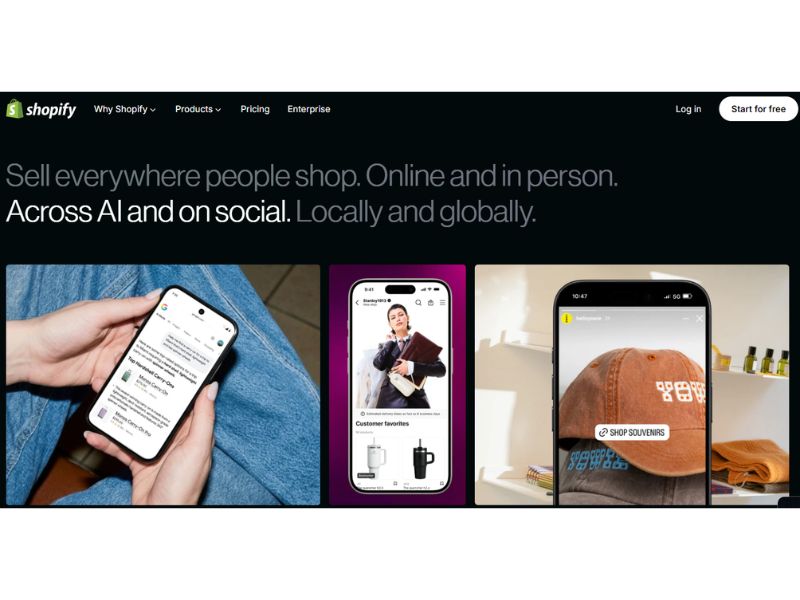
One of the biggest ecommerce shifts in recent years is that more sellers want to build their own brands instead of depending entirely on marketplaces like Etsy or Amazon. That is one of the main reasons Shopify continues to be a top choice for POD sellers.
Today, Shopify is trusted by more than 2 million sellers worldwide because it allows users to build independent ecommerce websites without advanced coding skills. The platform gives sellers control over almost the entire customer experience, including website design, pricing strategy, email marketing, and customer data.
Why is Shopify especially good for POD?
One of Shopify’s biggest advantages for POD businesses is automation. The platform integrates directly with major print on demand providers such as Printify, Printful, and Merchize. When a customer places an order, the order is automatically sent to the POD supplier for production and shipping, allowing sellers to run their business with minimal manual work.
Shopify also includes strong built-in marketing tools. Sellers can easily create discount codes, run abandoned cart emails, publish SEO blog content, connect Meta Ads and Google Ads, and install chatbot or review apps. These features are extremely important because POD businesses rely heavily on traffic generation and conversion rate optimization.
Of course, Shopify is not a shortcut to easy money. You still need a clear niche, strong product concepts, a trustworthy website, a stable traffic strategy, and the ability to optimize conversions. But if your goal is to build a long-term print on demand brand, Shopify remains one of the most powerful and flexible platforms available today.
How to sell print on demand on Shopify
1. Choose the right niche to start
If your store tries to sell to everyone, it will be very difficult to stand out or build a loyal customer base. That’s why choosing a niche is one of the most important steps when starting a print on demand business on Shopify.
Shopify works best when your store has a clear direction. A specific niche makes it easier to optimize advertising, email marketing, social media content, and overall branding. More importantly, customers can immediately understand who your store is for.
For example, the pet niche remains one of the most popular choices because pet owners often have a strong emotional connection with their dogs or cats. Designs related to specific dog breeds tend to perform well on products like t-shirts, mugs, and home decor.
Read also: 20 Best Selling Items on Shopify 2026 for Long-Term Wins
Anime and manga are also strong POD niches thanks to their large and loyal global fan communities. Designs inspired by anime aesthetics, fandom typography, or Japanese-style culture often perform well on apparel and accessories.
If you want a more modern and long-term branding approach, minimalist designs are another strong option. This style usually focuses on clean typography, neutral colors, and simple graphics, making it ideal for lifestyle apparel and premium-looking brands.
Travel and adventure themes also continue to attract steady demand. Quotes about exploration, outdoor graphics, camping themes, and nature-inspired designs often appeal to customers who enjoy travel and outdoor activities.
If you are unsure which niche to choose, you can read here: What is the best niches for Shopify print on demand in 2026.
2. Set up Shopify store
Once you have chosen your niche, the next step is building your Shopify store. One of Shopify’s biggest advantages is that you can create a professional ecommerce website without advanced coding skills.
Step 1: Create Shopify account
Start by registering a Shopify account using your email address and setting up basic information such as your store name and business category. Shopify usually offers a free trial for new users, giving you enough time to design your store, add products, and connect your POD supplier before paying for a subscription.
Step 2: Create store name and brand identity
Your store name plays an important role in brand recognition. A good store name should be short, memorable, and flexible enough to support future product expansion.
For example, pet-related stores often use names connected to animals or companionship, while fitness brands usually focus on words related to strength, energy, or lifestyle.
At this stage, you should also define your basic brand identity, including:
- Brand tone
- Primary colors
- Typography
- Logo
- Visual style
Consistent branding helps your store look more professional and trustworthy from the first visit.
Step 3: Choose the right Shopify theme
Shopify offers both free and paid themes through the Shopify Theme Store. For beginners, free themes are usually enough to launch a POD store. However, premium themes often provide better customization options and stronger ecommerce features.
When choosing a theme for your print on demand store, prioritize:
- Fast loading speed
- Mobile optimization
- Clean product layouts
- Easy navigation
- Strong compatibility with Shopify apps
Popular free Shopify themes used by many POD sellers include Dawn, Sense, Refresh, Studio, and Craft.
Step 4: Configure essential store settings
Before adding products, you should complete the core store settings so your website is ready to handle orders properly.
Start by setting your target market and store currency. For example, if you mainly sell to customers in the United States, using USD can improve the shopping experience and increase conversion rates.
Next, configure payment methods such as Shopify Payments or PayPal so customers can pay using credit cards, digital wallets, or other popular payment options.
Shipping settings are also very important for POD businesses. Even though POD platforms like Merchize can automatically sync shipping information, you should still configure shipping zones, delivery fees, and shipping policies clearly to avoid confusion for customers.
Finally, set up taxes and essential store policies such as:
- Refund policy
- Privacy policy
- Terms of service
These small details can have a big impact on customer trust and overall conversion rates.
3. Integrate Shopify with a POD supplier
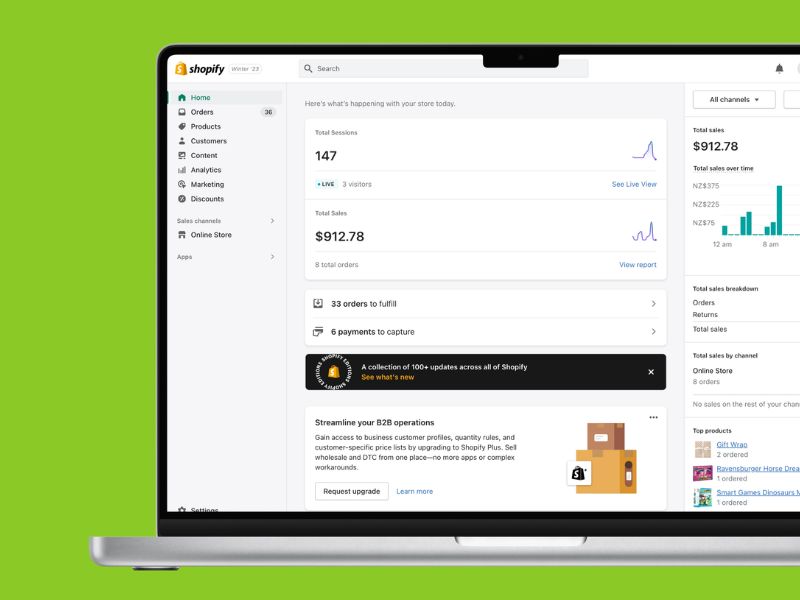
The next step is connecting your store with a print on demand supplier to automate the entire fulfillment process.
When a customer places an order on Shopify, the order is automatically sent to your POD partner. The supplier will then print the product, pack it, and ship it directly to the customer. Tracking information can also be synced back to Shopify so buyers can easily follow their orders. This allows sellers to spend less time handling operations and focus more on design, marketing, and branding.
However, choosing the right POD partner is extremely important because product quality and fulfillment speed directly affect customer experience. A reliable supplier should provide:
- consistent print quality
- a wide product catalog
- reasonable production times
- reliable shipping
- smooth Shopify integration
- transparent pricing
- branding or custom packaging options if needed
Among many POD platforms available today, Merchize is a popular choice for Shopify sellers thanks to its direct Shopify integration and strong fulfillment system for international ecommerce businesses. Merchize currently offers a catalog of nearly 1,000 POD products, including apparel, home living products, and accessories.
One of Merchize’s biggest advantages is its automated order sync system between Shopify and fulfillment operations. After connecting your store, you can:
- Sync products from Merchize to Shopify
- Automatically receive orders from Shopify
- Automatically send tracking numbers back to your store
- Manage multiple stores in one dashboard
- Bulk publish products faster
In addition, Merchize provides a built-in mockup generator, multi-platform management support, and real-time fulfillment tracking tools.
From an operational perspective, Merchize currently has fulfillment systems across multiple regions including the US, EU, UK, Australia, China, and Vietnam. The platform also emphasizes its in-house production capabilities with the ability to handle large order volumes daily.
To connect Shopify with Merchize, you simply create a Merchize account, link your Shopify store through the integration app or API, sync your products, and enable automatic fulfillment. Once completed, the entire workflow can run almost fully automatically without manually processing each order.
4. Design your POD products
After building your store, the next step is creating a strong product design system. This stage directly affects conversion rates, so before designing anything, you need to clearly understand what your target audience in that niche actually cares about.
Find design ideas from places where customers already shop
You can research directly on Amazon or Etsy to see which products are already selling well in your niche. This is one of the most effective ways to identify common design patterns, typography styles, concepts, and visual directions that customers are already buying.
Besides marketplaces, platforms like Pinterest, Dribbble, TikTok, and Instagram are also major inspiration sources for POD sellers. These platforms often reveal emerging visual trends, memes, catchphrases, and niche culture ideas before they become mainstream product trends.
Communities like Reddit are also useful because they help sellers understand how audiences communicate and what types of humor, language, or references truly resonate with them.
Use the right tools to design faster
Today, POD sellers have access to many different design tools. Canva and Kittl are beginner-friendly options with simple interfaces and ready-made templates.
For sellers who want more advanced control over artwork, Adobe Illustrator and Photoshop remain industry-standard choices. Meanwhile, AI tools like Midjourney and Leonardo.ai are becoming increasingly popular for generating concepts and illustrations more quickly.
One common mistake beginners make is uploading only a few designs and waiting for sales. In reality, many successful POD stores test 30–50 designs before finding winning products. Constantly experimenting with typography, colors, humor styles, and design concepts helps you understand your audience better and increases your chances of creating long-term bestsellers.
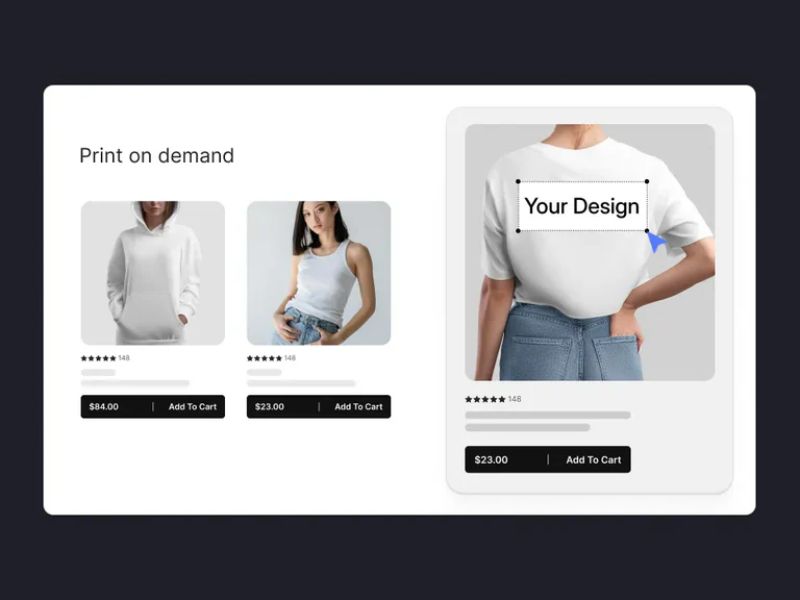
5. Optimize your product pages
Do not overlook product page optimization if you want higher conversion rates and better visibility on Google. Many POD stores fail not because of poor designs, but because their product pages look unprofessional, load slowly, or fail to convince customers to buy.
A strong product page should include high-quality mockups, multiple viewing angles, and ideally lifestyle images or short videos that help customers visualize the product in real life. The layout should also stay clean, easy to scan, and mobile-friendly since most ecommerce traffic today comes from smartphones.
In addition, your product content should be structured clearly instead of only listing basic specifications. Product titles, descriptions, and bullet points should quickly explain who the product is for, what makes it unique, and why customers should buy it. At the same time, adding trust signals like customer reviews, return policies, shipping information, and secure payment icons can reduce hesitation during checkout.
6. Set up store policies and navigation menus
Shopify stores should include essential policy pages to improve trust and make order handling more transparent. The most important pages usually include:
- Refund & Return policy
- Shipping Policy
- Terms of Service
- Privacy policy
Shopify already provides built-in templates for these pages, so you do not need to write everything from scratch. You can generate a draft with Shopify and customize it using AI tools based on your niche, production times, and store operations.
Besides policies, you should also organize your navigation menu to help customers find products more easily. A simple Shopify POD menu usually includes:
- Home
- Best Sellers
- Collections
- About Us
- Contact
- Track Order
A clear navigation structure improves user experience, supports SEO, and increases the amount of time visitors spend on your website.
7. Test store before launching
Before running ads or making your store public, spend time testing the entire website to ensure everything works properly. Important areas to test before launch include:
- Going through the full checkout process
- Testing multiple payment methods
- Verifying product images, descriptions, and variants
- Checking mobile and tablet responsiveness
- Confirming shipping fees and taxes work correctly by region
- Testing order confirmation emails and automation flows
- Placing a test order to verify POD fulfillment
- Checking page speed using Google PageSpeed Insights
You should also experience the store like a real customer from landing on the homepage to completing checkout. This helps identify small issues that can hurt sales, such as slow loading pages, difficult checkout buttons, or poorly optimized mobile layouts.
8. Launch and promote your Shopify store
Once your store setup is complete and everything has been tested, the next step is driving traffic to your website. Unlike Etsy or Amazon, Shopify does not provide built-in marketplace traffic, so marketing will play a major role in your store’s success.
Some of the most common traffic sources Shopify sellers use include:
- SEO blogs and product SEO
- TikTok organic content
- Instagram Reels
- Email marketing
- Meta Ads and TikTok Ads
In the beginning, focus heavily on TikTok and short-form content because they are often the fastest ways to test products and generate traffic at a lower cost than traditional advertising. At the same time, Shopify SEO can help build long-term organic traffic instead of relying entirely on paid ads.
After launching, continue monitoring your store data to understand what is performing well. Key metrics to track include:
- Website traffic
- Conversion rate
- Add-to-cart rate
- Cost per purchase
- Best-selling products
- Abandoned cart rate
Based on this data, you can continuously improve your product designs, pricing strategy, product content, and marketing campaigns to increase profitability over time.
How much does it cost to start a Shopify POD store?
To build a Shopify store that looks professional enough to sell products effectively, you still need to prepare for several basic costs.
- Shopify subscription fees: Most beginners usually start with the Basic Shopify plan, which costs around $39/month. In addition, many sellers also purchase a custom domain to make their brand look more professional, typically costing around $10–20/year.
- Store design and optimization costs: If you want a better-looking website with stronger conversion potential, you may also invest in premium Shopify themes or apps for reviews, email marketing, upselling, and SEO. Product design can also involve extra costs if you use tools like Canva Pro, Adobe Illustrator, Photoshop, or AI image-generation tools.
- Marketing costs: Since Shopify does not provide built-in traffic like Etsy or Amazon, you will need to invest in SEO, TikTok, Instagram, or paid advertising to attract customers.
Overall, it is still possible to start a Shopify POD business with a relatively low budget if you create the designs yourself and focus on organic traffic first. However, if you want to scale faster, investing in branding, content creation, and advertising becomes almost unavoidable.
Read more: How Much Does it Cost to Sell on Shopify? (Updated)
30-day marketing plan for Shopify POD stores
One of the biggest mistakes beginners make is focusing too much on uploading products without having a clear marketing plan. In reality, Shopify does not provide built-in traffic like marketplaces do, so your ability to attract customers will directly impact your store’s revenue.
Week 1: Choose a niche and create core designs
During the first week, your main goal is to choose a clear niche and create around 5–10 initial designs to test the market. Focus on a specific community such as pet lovers, gym enthusiasts, hikers, anime fans, or coffee lovers.
Week 2: Build your first social proof
A brand-new store usually struggles to build trust with customers. That is why the goal of the second week is to get your first orders and start building social proof.
Share your store with friends, family members, or smaller communities you are already part of. You can create a special “friends & family” discount code to encourage people to place their first orders.
After receiving orders, try to collect customer reviews or real-life product photos. This type of UGC (user-generated content) is often far more effective than mockups because it feels more authentic and trustworthy.
Week 3: Start driving organic traffic
Once you have a few products and some basic social proof, you can start focusing on organic traffic through Pinterest, TikTok, or Instagram Reels.
At this stage, prioritize short-form content instead of trying to create overly complicated videos. Simple clips showing your designs, mockups, or lifestyle images combined with trending audio are usually enough to test market reactions.
Pinterest can also work very well for POD because it functions like a visual search engine. Niches such as home decor, fashion, pets, and gifts often perform particularly well on the platform.
Week 4: Launch your first retargeting ads
After about three weeks, your store will usually have generated some website traffic. This is a good time to start running retargeting ads with a small budget instead of launching cold ads too early.
Retargeting ads show your products to people who have already visited your website but did not purchase anything. These audiences often have higher conversion rates because they are already familiar with your brand.
You can start with a budget of around $5–10/day on Meta Ads or Instagram Ads and focus on promoting:
- your best-selling products
- videos with high engagement
- bundles or free shipping offers
- short-term discount codes
In the early stages, your main goal is not scaling as fast as possible. Instead, focus on continuously testing products, improving conversion rates, and identifying the audience that responds best to your brand.
And of course, there is no formula that guarantees success within the first few months. You will still need to test different designs, experiment with content strategies, optimize your store continuously, and learn how to analyze data to find the right direction. Good luck with your Shopify POD journey.